Video Downloader - HD & Easy
- 4.6
- Rating
- 10.00M
- Installs
- Free
- Price

 Analysis by App-foxy
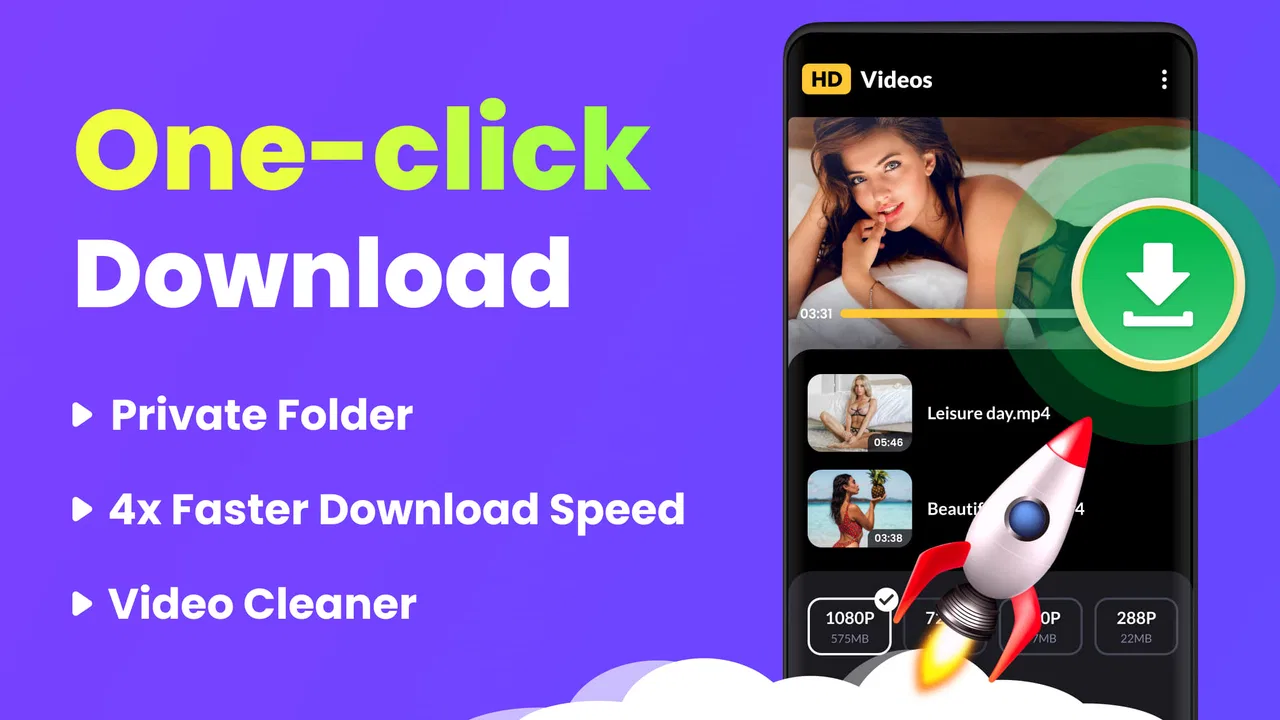
Video Downloader - HD & Easy is the kind of Android app I reach for when a video needs to be saved quickly rather than managed through a full editing suite. It sits in the video players and editors category, but its practical identity is much simpler: it focuses on downloading video and playing it back in high definition, with support for several formats and 4K playback and download. I found that straightforward purpose useful, especially when I wanted fewer menus between finding a video and preparing it for later use.
The app is free, aimed at Everyone, and developed by 360 Tool. Its popularity is easy to understand: it has passed 10 million installs, carries a 4.6 average from around 154 thousand ratings, and has about 2.8 thousand written reviews. Those figures do not replace hands-on judgement, but they do suggest that this is not an obscure experiment. The current version is 1.4.8, and it works on Android 6.0 and later, which makes it accessible to people using older phones as well as newer devices.
Where the network changes the experience
The biggest thing to understand is that a downloader is only as convenient as the connection around it. A fast network can make the process feel almost invisible: I can locate the video, choose an available quality or format, and let the app handle the transfer. A weak or unstable connection changes the mood completely. The app may still be easy to operate, but the wait becomes part of the experience, particularly with high-resolution files.
You May Also Like

 Blood Strike: 2.5 Anniversary
Blood Strike’s Loadouts Turn Every Drop Into a Tactical Gamble
A close look at Blood Strike’s custom loadouts: how fast access to signature weapons reshapes its battle royale rhythm, rewards preparation, and narrows the gap between fights.

 Pandora - Music & Podcasts
Pandora’s Music Is Easy to Start, but Harder to Recover
Pandora’s strength is its low-effort path from a seed to a station. Its weak spot is how much confidence it asks you to place in connection, setup, and quiet recovery.

 8 Ball Pool
 Is Built on Rivalries, Rematches, and Routine
A close look at the rivalries, rematches, shared routines, and unanswered safety questions that turn a quick pool match into a persistent mobile community.

 Samsung Music
’s Quiet Strength Is Playing What You Already Own
Its reach comes less from spectacle than from dependable access to a personal library. That simplicity is both the app’s strongest retention engine and its ceiling.

 AccuWeather: Weather Radar
AccuWeather Review: A Quick, Clear Forecast for Everyday Decisions
For everyday plans, the best forecast is the one you can understand quickly. AccuWeather makes rain timing, radar, and local conditions easy to act on, with a few trade-offs.

 Hill Climb Racing
Why Hill Climb Racing Still Turns Crashes Into One More Run
A tiny car, a bumpy hill and one more upgrade: Hill Climb Racing keeps resurfacing because its simple chaos makes every near-miss feel personal.
More From Our News Desk



That is why I would not judge its 4K capability only by the label. High-resolution video is demanding in two different ways. The connection has to deliver a large file, and the phone needs enough storage and processing headroom to handle it comfortably. On a recent device with a reliable connection, the option is attractive for large-screen playback. On an older or nearly full phone, a lower resolution may be the more sensible choice even when 4K is available.
I also think the app is best understood as a tool for content you are allowed to download. A downloader can simplify the technical part, but it does not change the rights attached to a video. I would use it for my own clips, openly downloadable material, or content where the creator has clearly granted permission. That small habit avoids turning convenience into a copyright problem.
A realistic everyday situation
Imagine preparing for a long train journey. At home, where the connection is dependable, I would gather the videos I have permission to save, select practical resolutions, and check that the resulting files appear correctly in the app or device storage. The important point is not simply starting several downloads. It is leaving enough time for the transfers to finish and checking the files before leaving the network.
That workflow also exposes a common misunderstanding. Downloading a file while connected does not automatically guarantee that every later playback situation will work perfectly. The file itself needs to be present and readable, and the phone needs to support its format and resolution. I would test one saved video before relying on a collection during travel. This is a small step, but it can prevent discovering a problem after the connection has disappeared.
Using it on a phone rather than a desktop
On a phone, the main advantage is immediacy. I do not need to move a link to another device or open a desktop program just to prepare one video. That makes the app useful for quick personal workflows: saving a tutorial for a trip, keeping a permitted reference clip nearby, or moving a video into a format that is easier to play on the phone.
The trade-off is that mobile storage is less forgiving. A few high-definition files can take up space quickly, and 4K files make that issue more noticeable. I would avoid choosing the highest quality by habit. If I am watching on a small phone screen, a moderate resolution may look perfectly good while saving storage and reducing transfer time. The high-resolution option is more valuable when the file will be viewed on a larger display or used for close visual reference.
Another practical concern is multitasking. Mobile operating systems can limit background activity to protect battery life and system resources. I would therefore start important downloads when the phone can remain relatively undisturbed, rather than assuming a long queue will always proceed smoothly while I use several demanding apps. This is not a criticism unique to this downloader; it is simply a reality of doing file-heavy work on a mobile device.
Formats, playback, and choosing sensibly
Support for all formats sounds broad, but the useful question is what happens in a particular workflow. A format that downloads successfully may still behave differently in other players, editing tools, or televisions. If I only need to watch a file on the same Android phone, I would favor a format that the phone already handles comfortably. If I plan to edit or transfer the file, I would test a short clip first instead of downloading a large video and discovering compatibility trouble later.
The built-in playback angle is helpful because it gives me a quick way to inspect a downloaded file without immediately switching applications. That can reveal whether the image, sound, and resolution are behaving as expected. Still, I would not treat it as a replacement for every specialized media player. People with unusual codecs, subtitle requirements, advanced playback controls, or a carefully organized media library may prefer a dedicated player alongside this app.
My most useful quality tip is to match the download to the destination. For a phone screen, extreme resolution can be wasteful. For a tablet or television, the extra detail may justify the larger file. For editing, the original quality may matter more than convenience. Thinking about the final use before tapping download saves both bandwidth and storage, and it makes the app feel more controlled.
When a download fails and how I would recover
No downloader should be judged only by successful transfers. The frustrating moments are interruptions, incomplete files, or a result that does not play as expected. A connection can drop when moving between Wi-Fi and mobile data, and a large transfer is naturally more exposed to that kind of disruption. My approach is to avoid starting the biggest downloads at the exact moment I need to leave or switch networks.
If a transfer fails, I would first check the simple causes: whether the connection is stable, whether the phone has enough free storage, and whether the selected quality is unnecessarily demanding. I would then retry with a smaller resolution or a different available format if the original choice is not essential. This is more efficient than repeatedly attempting the same large file under the same conditions.
Storage deserves special attention because a phone can appear to have room while still becoming uncomfortable after several downloads. I would review saved files periodically and remove duplicates, failed attempts, and videos I no longer need. A tidy download folder is not just cosmetic; it reduces the chance of running out of space during a future transfer.
I also recommend opening a completed file before deleting the source or leaving a reliable connection. A download that reaches the end of a progress indicator is not necessarily useful if playback reveals a damaged result or an unsupported combination of format and resolution. A quick test gives me a chance to repeat the process while the network is available.
Where this app may feel less reassuring than a mature desktop downloader is in the depth of recovery tools a power user might expect. Someone who regularly manages very large queues, needs detailed transfer logs, or wants extensive pause-and-resume controls may find a desktop alternative more comfortable. For occasional phone-based downloads, that extra complexity may not be worth carrying.
Keeping mobile data under control
Because the app handles HD and 4K material, I would treat mobile data as a deliberate resource rather than an invisible convenience. A short clip and a long high-resolution video can have very different consequences for a monthly plan. When I am away from dependable Wi-Fi, I would choose a modest quality, postpone large transfers, or wait until I am connected to a network I trust.
This is also where the app's free price needs a little context. There is no purchase cost to start using it, but downloading video can still consume data, storage, battery, and time. Those are the real costs I would consider. A free tool is not automatically economical if I use it to collect files I never watch.
My preferred routine is selective downloading. I save only videos with a clear purpose, choose quality based on the screen where I will watch them, and remove them after the trip or project ends. For a student, that might mean keeping a permitted lesson available during a commute. For a creator, it could mean holding a reference clip before editing. For a family, it might mean preparing a few suitable videos for a place with unreliable connectivity. In each case, planning beats downloading everything at the maximum setting.
Who will appreciate it most?
I think this app suits Android users who want a direct video-downloading workflow without paying for the tool itself. It is particularly appealing if you value quick access, need broad format support, or want 4K playback and download as an option rather than being limited to basic quality. The minimum Android requirement of 6.0 also makes it relevant to people who are not using the newest hardware.
It is less convincing for someone looking for a full editor. The category includes video players and editors, but this application should not be mistaken for a timeline-based production environment. If your main goal is trimming, layering, color correction, captions, or detailed audio work, a dedicated editing app is the better choice. This downloader can prepare material, but it is not a substitute for a serious editing workspace.
I would also suggest caution for users who expect every online video to be downloadable regardless of its source or restrictions. The practical experience depends on the particular video and the surrounding service, and the responsible use case is content that can legitimately be saved. People who mainly stream through official services with their own built-in viewing options may find those official tools more predictable and better aligned with the content provider.
How it compares with the usual alternatives
Compared with downloading through a browser, the dedicated app feels more focused. A browser is useful when I only need to view something or when the website provides its own clear download control. A separate downloader becomes more attractive when I want a repeatable process for permitted files and a place to inspect the resulting videos. The choice is less about one being universally superior and more about whether downloading is a regular part of my phone routine.
Compared with official streaming applications, this tool offers a different kind of flexibility. Official apps may provide a more integrated experience for their own services, while a general downloader is useful when I am working with videos that are legitimately available in downloadable form across different sources. The broader approach also means I have to pay more attention to file quality, storage, compatibility, and permissions.
Compared with a desktop utility, the Android app wins on immediacy and portability. I can work where the video is discovered, without first moving the task to a computer. The desktop usually wins when I need batch organization, extensive file management, or more visible recovery controls. I would choose this app for occasional and mobile-first work, not for a large professional archive.
My connectivity verdict
After using it as a practical mobile downloader, I see Video Downloader - HD & Easy as a useful specialist rather than an all-purpose video solution. Its strengths are clear: it is free, supports HD and 4K use, handles a range of formats, and keeps the basic idea easy to understand. The strong user response, with a 4.6 average and more than 10 million installs, fits that uncomplicated appeal.
The limitations are equally important. Large files make network quality, battery, storage, and data usage part of the decision. Format support does not guarantee that every file will suit every player or editor, and a dedicated desktop or official service can be better for advanced management or provider-specific viewing. I would not install it expecting a complete media studio.
My recommendation is simple: use it when you need a convenient Android tool for permitted video downloads and you are willing to choose quality thoughtfully. Start with a small test, confirm that the result plays, avoid unnecessary 4K files on mobile data, and keep the saved collection under control. With that approach, the app does what I want from it: it turns a network-dependent task into a manageable mobile workflow without pretending that connection quality and storage limits do not matter.
For readers deciding whether to try it, the age rating of Everyone and the free entry point make experimentation easy, while version 1.4.8 gives the app a current, identifiable release to look for. I would recommend it most strongly to travelers, students, casual collectors of permitted video, and Android users who want fewer steps than a computer-based method. If your needs are professional editing, elaborate queue recovery, or tightly controlled streaming access, I would choose a more specialized alternative instead.
FAQs for Video Downloader - HD & Easy
01Is Video Downloader - HD & Easy safe to use?
Yes, Video Downloader - HD & Easy is designed with user security in mind. It doesn’t require access to personal data beyond what’s necessary for functionality. However, as with all apps, ensure you download from a reputable source to avoid any potential risks associated with modified versions.
02Does Video Downloader - HD & Easy support all video formats?
Video Downloader - HD & Easy supports a wide range of video formats, including MP4, AVI, and MKV. This flexibility allows users to download and enjoy videos from various platforms without worrying about compatibility issues. Always check for app updates that may include support for additional formats.
03Can I use Video Downloader - HD & Easy to download videos from any website?
While Video Downloader - HD & Easy supports many popular video-sharing websites, it may not work with every site due to legal and technical restrictions. Always ensure you have permission to download content and comply with the terms of service of the website you are accessing.
04What are the storage requirements for Video Downloader - HD & Easy?
The app itself requires minimal storage space, typically under 50MB. However, downloaded videos can take up significant space depending on quality and length. Users should ensure they have enough free storage on their device or consider using an external memory option if available.
05Are there any in-app purchases in Video Downloader - HD & Easy?
Video Downloader - HD & Easy offers a free version with basic features. For an enhanced experience, such as ad-free usage and faster download speeds, there are in-app purchases available. These options are entirely optional and the free version remains fully functional.
Pros
- Fast download speeds for videos.
- Supports multiple video formats.
- User-friendly interface.
- Allows batch downloading.
- No intrusive ads.
Cons
- Limited to certain websites.
- Occasional download errors.
- No built-in media player.
- Requires stable internet connection.
- Lacks advanced editing features.

Video Downloader - HD & Easy
Gallery